Every Copilot Cloud-Agent Task.
Tracked and Traced in One Place.
Built for engineering managers, tech leads, and developers who delegate work to GitHub Copilot's cloud coding agent — and solo devs firing off several agent tasks at once. Once you hand off a task, it runs out of sight, scattered across repos and your whole org. Co-Tower brings it back: track and trace every task in one place — live status, the repo, the sessions behind it, the diff, and the pull request it opened — right from your system tray.
See it in action
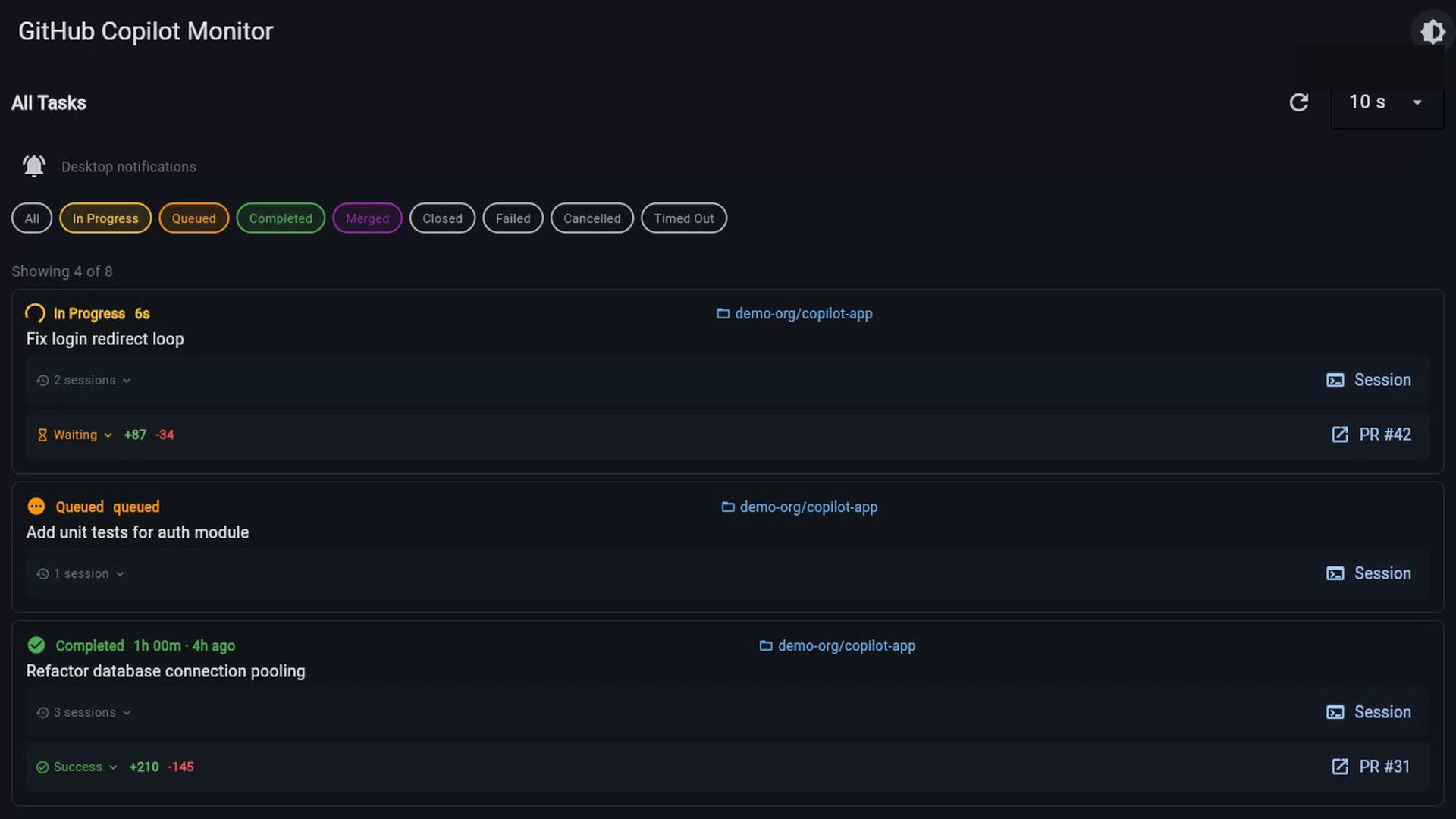
Every Copilot Cloud-Agent Task, Tracked and Traced
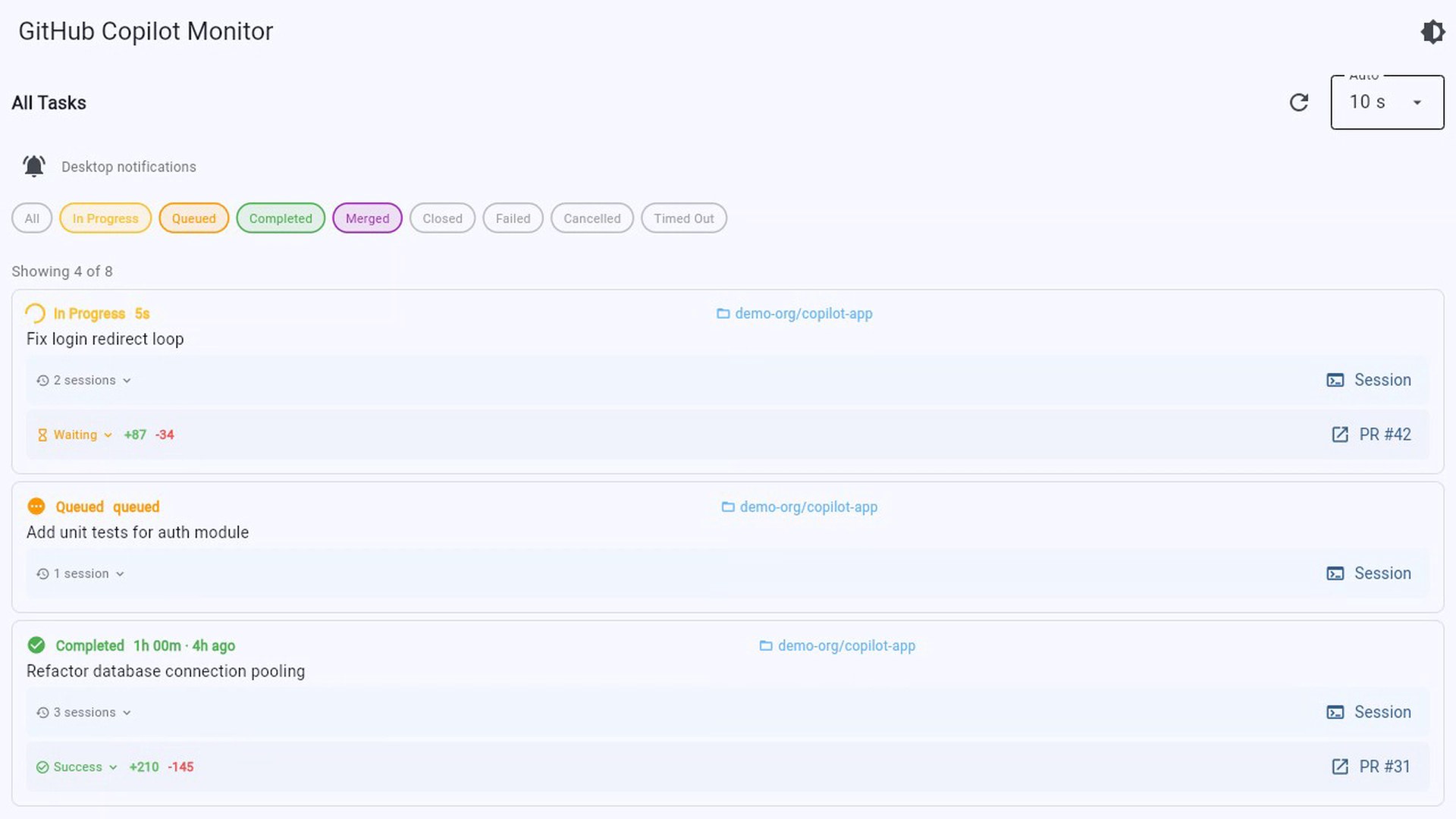
Live status, repo, sessions, diff, and PR — for every task, across your org. Filter by status, drill into the sessions behind each task, and jump to the PR the agent opened. Auto-refreshes on a configurable interval; light and dark themes ship in the box.
What you get
One Tray. Every Copilot Cloud-Agent Task, Tracked and Traced.
Built for engineering managers, tech leads, and developers who delegate work to GitHub Copilot's cloud coding agent — and solo devs firing off several agent tasks at once.
Track & Trace Every Task
Co-Tower puts every GitHub Copilot cloud-agent task in one place. See live status, the repo, the sessions behind each task, the diff, and the pull request it opened — across your entire org, right from your desktop tray.
Never Miss a Status Change
Get a desktop notification the instant a task's status changes, then filter by In Progress, Queued, Completed, Merged, Closed, Failed, Cancelled, or Timed Out to zero in on what needs you. The dashboard auto-refreshes, so you always see current state.
Sign In Your Way, Stay Secure
Sign in with your gh CLI token or Device Flow, switch between multiple accounts, and check seat usage and org Copilot events at a glance. Tokens stay secure in your OS keyring. Light and dark themes are included, with auto-refresh throughout.
Get started in two minutes
How it works
No CLI, no config files, no API keys to manage. Install, sign in, and every Copilot cloud-agent task lands in one place.
Get Co-Tower for your OS
One click from the Microsoft Store or Snap Store. Auto-updates included, no admin permissions needed.
Connect your GitHub account
Pick up your existing gh CLI token or use GitHub's Device Flow — either way, the token lives in your OS keyring on your machine. We never see it.
Track & trace every task
Co-Tower discovers your Copilot orgs automatically. Filter by status, drill into the sessions behind each task, and jump to the PR the agent opened.
Install
Available on all major platforms
Co-Tower is in public beta. Download for your OS and connect your GitHub account to get started — expect rough edges and tell us about them.
Co-Tower is an independent tool and is not affiliated with or endorsed by GitHub, Inc. Use of this software requires a valid GitHub account and a Copilot subscription managed through GitHub.
Co-Tower is free to use. In exchange, it bundles the Honeygain SDK, which relays other companies' internet traffic through your IP address and bandwidth — EH is compensated for this, you are not. There is currently no way to use Co-Tower without it, and you'll be asked to accept it on a consent screen on first run. Full details: Bandwidth-Sharing Appendix, Privacy Policy Section 4, and EULA Section 8A.
By installing Co-Tower you agree to the Co-Tower EULA / Terms of Service bundled with the application. Read the EULA online, or request a copy by email.
Support
Questions or issues?
Co-Tower is in beta. Found a bug or have a feature idea? Get in touch — we'd love to hear from you.
For anything else — partnerships, enterprise, security reports — reach out directly.
support@etz-hadaat.xyz →